Everything You Need to Know About URL Shorteners and How to Get Started
Brands spend a lot of effort creating attractive and eye-catching social media posts that lead to landing pages designed for engagement and conversions. But what about the vessel that takes your user from the post to the landing page – the URL (or simply called the site link)?
Does the URL impact user behaviour in any way? Can it be tailored to increase post and button click-through rates (CTR)? Does it influence the brand image? The answer to all of these questions is yes.
A long URL with a lot of characters can be perceived as a spammy link. On, the other hand, a link created with a URL shortener is neat, takes less character space, delivers the information the user needs, and most importantly, elicits trust.
The URL shortener also lets you add your custom domain, so you can use your brand name and shorten links simultaneously.
In this article, we delve deeper into URL shortening and cover:
- What is URL Shortening, and How Does it Work?
- Benefits of URL Shortening
- URL Shortening Use Cases
- URL Shortening Services and How to Use One
- Shortening Your First Link for Free Using Socxly
What is URL Shortening, and How Does it Work?
URL shortening is the process of converting a long URL with multiple paths and characters into a simple link with a single path and minimal characters (as many as you like). A URL shortener is a service or a platform that enables you to shorten your website’s URLs.
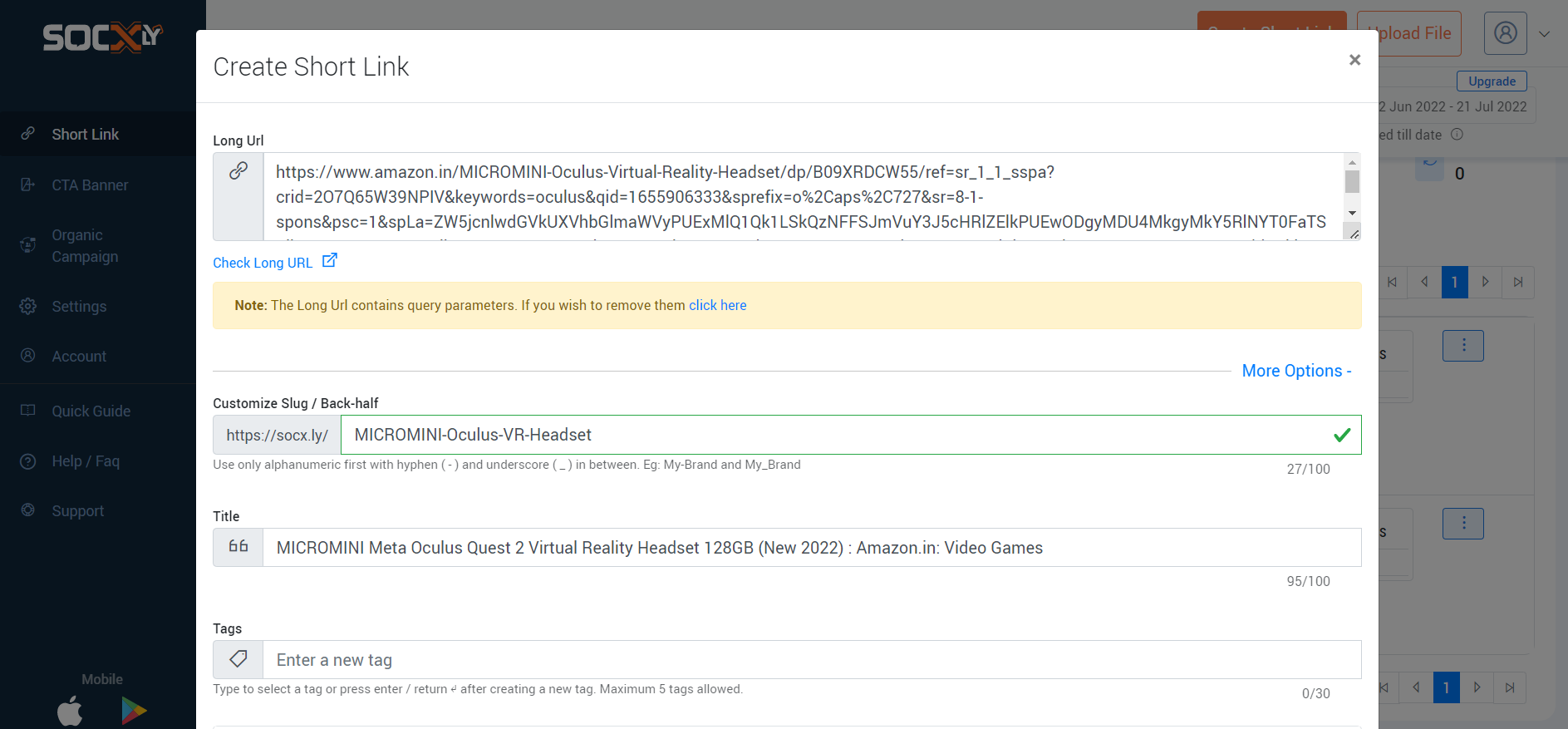
It’s important to understand that the URL shortener does not change the page’s original URL, but simply masks it. What you see on the front-end (within a post, tweet, message, etc.) is the shortened ‘mask’ URL redirecting to the page that is still on the original URL.
For example, we shortened the link to a Kindle on Amazon using Socxly to:

Clicking this link will take you to the original link (https://www.amazon.in/Kindle-10th-Gen/dp/B07FQ4Q7MB/ref=sr_1_1?…..) on Amazon. So the shortener created a mask that redirects the user to the original long URL.
Benefits of URL Shortening
Short URLs help brands in many ways, and URL shortening services add to these benefits by delivering extra add-on features. Here are the benefits of short URLs and the add-ons provided by URL shortening services:
Benefits of a Short URL
1. Better URL Aesthetics
The number one benefit of shortening a URL is better appearance. URLs are generally shared at the end of social media posts, tweets, blog posts, and so on. A long URL looks untidy and confusing and disrupts the conciseness of the post description or the flow of the blog content.
Take this URL of a post by Business Insider, for example –

Adding this long URL to a post or blog takes up a lot of space. This URL can be compressed to:
 This shorter URL is aesthetically pleasing and does not increase the character count on a post. When added to a blog post, it takes up just a single line making it a much neater option.
2. Easier to Read and Remember
More often than not, long URLs do not give the user the information they need at first glance. In the Business Insider URL we shared earlier, the post’s title comes much later and is not easy to find. In the shortened URL, however, the crux of the post is immediately visible.
URL shortening allows you to keep relevant and important information within the link and discard the rest. This makes it easy to read, shows the information immediately, and is much easier to remember.
3. Reduces the Character Count
Some platforms, like Twitter, have restrictions on the number of characters allowed. Adding long links results in excessive character space, leaving fewer characters for the message you want to post.
Here is the character count for the link to a VR headset on Amazon:

And here is the character count for the shortened URL that leads to the same product page on Amazon:
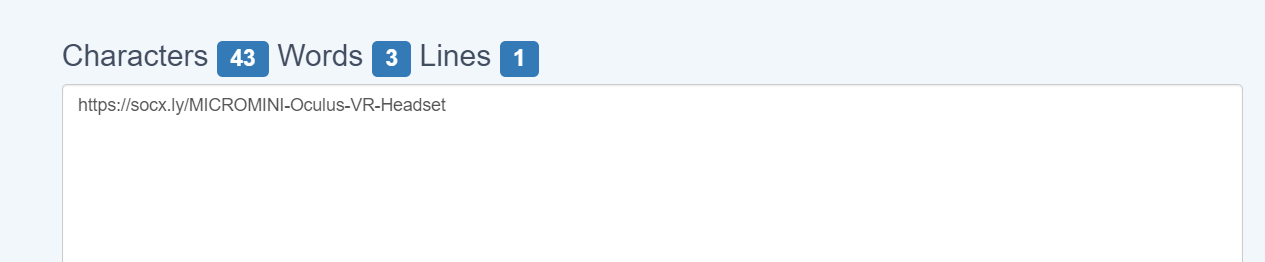
The shortened URL contains a tenth of the characters of the actual link. This is quite a nifty result when you’re working with limited character spaces.
4. Short URLs are User-Friendly and Enhance Trust
Long URLs, especially ones with special characters like question marks and percentage signs, tend to seem malicious; however, sometimes, they cannot be avoided. If the post’s title is long, if there are many paths, or if you add UTM parameters, the URL tends to become long and include special characters.
In such cases, a URL shortener comes in handy. You can add the full title as the slug (which helps with SEO) when publishing the page and shorten the URL using a shortener before sharing it on other channels. Additional elements like UTM parameters and tags can be added using the URL shortener, making tracking easy as well.
Add-On Benefits of Using a URL Shortener
5. Internal Data Tracking
Most URL shortening services track the URLs they provide for impressions, clicks, sources, and other metrics. The data is tracked at a URL level, so you know which ones are performing well and on which channels.
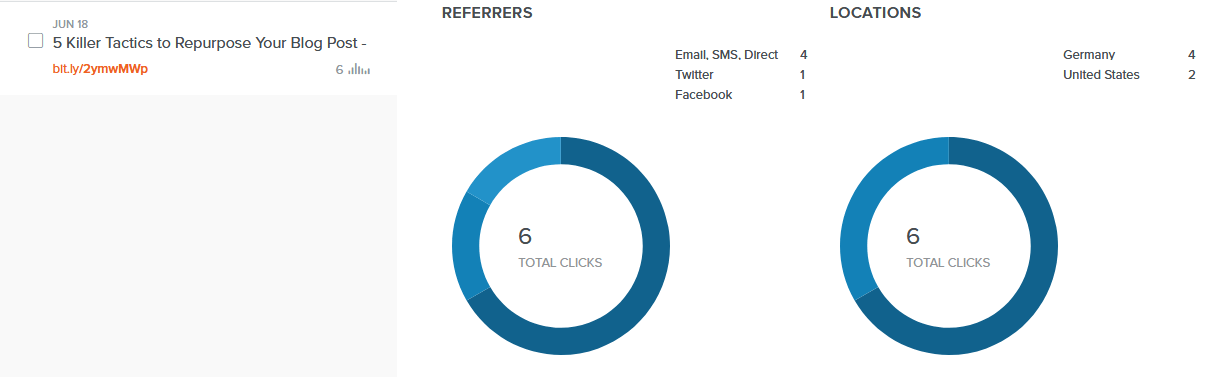
This data is extremely useful for brands that create and share many links, and the URL shortening service makes this data available at your fingertips. Finding this URL-specific data using an analytics system usually requires a lot of configuration and drilling down.
6. UTM Parameters are Included and Shortened
UTM parameters are pieces of code that are added to links to track specific data:

In this example, UTM parameters are added to send back data about the source, medium, and campaign to the analytics system. As you can see, adding UTM parameters tends to lengthen the link.
URL shorteners have two advantages that help in this situation. One is that they provide a host of link data internally, so you may not even need to add extra UTM parameters. The short link can be used, and data can be tracked from within the URL shortener’s dashboard.
The second advantage is that most URL shortening services allow you to embed UTM parameters when shortening the URL. If you have to add UTM parameters to send data back to an analytics system, you can easily do so when shortening the URL. These parameters are masked just like the long URL, so users don’t see them, but they get appended when the link is clicked, allowing you to track the data you need.
7. Meta Data Can be Modified
Platforms like Facebook, LinkedIn, Twitter, and so on, look for certain open graph meta tags (called OG tags) within links to include in the post. When you share a blog link on Facebook as a post, for example, you will notice that Facebook automatically populates the post’s image, title, link, and description. It does this by extracting the meta content associated with the link.

Editing this meta content usually involves editing the source code, and you can only add one set of metadata per link, per site.
Most URL shortening services allow you to edit the meta content when creating a short link. You can change the open graph meta title, meta description, and display link associated with the shortened URL. This allows you to control how the post will appear on social media sites and also lets you create many different post styles for the same link (by creating different short URLs).
URL Shortening Use Cases
Digital Marketing and Analytics
URL shorteners provide in-depth tracking data internally and enable the addition of UTM parameters so campaign data can be tracked using an analytics platform. This lets you track engagement at a macro level and helps you better understand your campaigns and their results.
Social Media Posts
By allowing you to modify the link’s open graph meta content, URL shorteners make it easy to create social media posts that are engaging and consistent across sites. You also get channel-specific click data which helps you determine which channels work for your brand.
Vanity URLs
A part of SEO best practices is to create URLs with a detailed path and to include one or more keywords in the slug. This often results in long URLs:
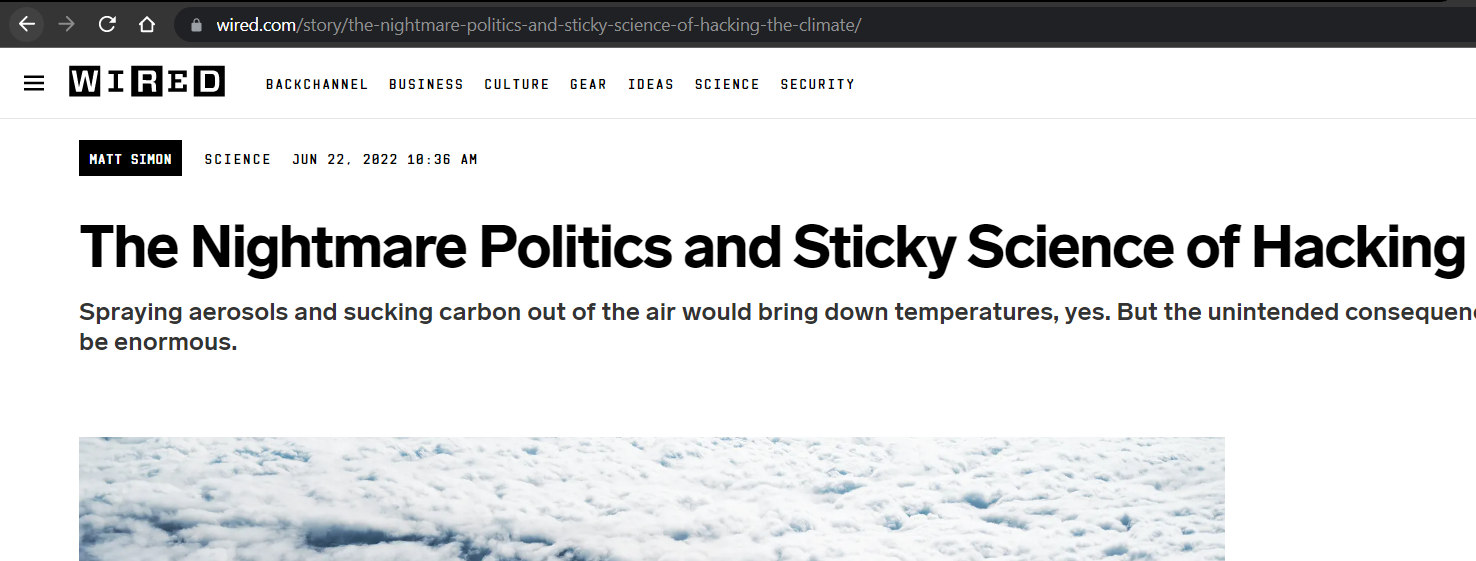
When it comes to sharing these links on social media and other platforms, however, you will find that long URLs do more harm than good. URL shorteners allow you to have long-form URLs that are SEO-friendly and then shorten them for external use. You can use your brand name and short terms for the slugs that make them catchy and easy to remember.
QR Code Marketing
Most URL shorteners also generate a QR code along with the shortened URL:
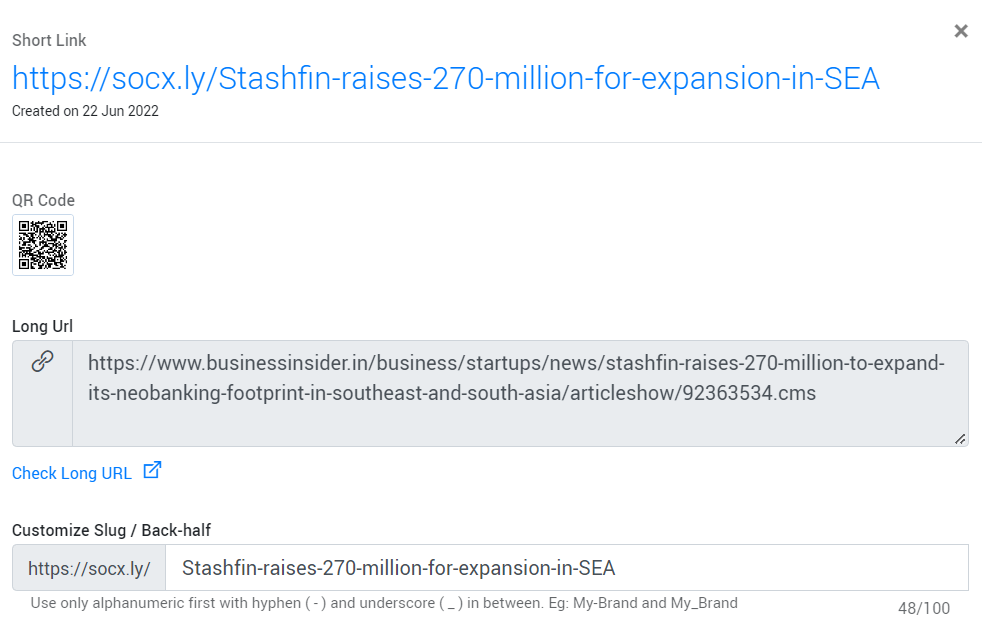
QR codes are great for marketing; they can be printed on paraphernalia, products, stickers, placed on the website, and so on. URL shorteners give you a way of quickly generating QR codes for your brand links.
Marketing Campaigns
Lastly, URL shorteners are great for creating user-friendly and short URLs with embedded tracking codes (UTM parameters) that can be used for digital marketing campaigns like email and SMS blasts.
URL Shortening Services and How to Use One
Shortening URLs is quite easy. The first step is finding a service that delivers the features you need for a reasonable price.
Most platforms have a free plan that provides powerful features that are more than enough for most brands. Socxly, for example, has a free plan that allows you to shorten 300 URLs per month, and for each URL, you can add UTM parameters, edit social cards, add CTA banners, track URL data, etc. This allows you to get started with URL shortening immediately and for free.
The process of shortening URLs is as follows:
- Create an account (you can start with the free account).
- Enter the long URL you want to convert.
- Either let the platform create a short slug, or you can add a custom slug.
- Add UTM parameters if needed.
And that’s it; you’re all done. The short URL is generated with the new slug and stored in your account. You can edit the URL details and the social card meta content whenever you like.
Shortening Your First Link for Free Using Socxly
URL shortening is an important strategy in today’s competitive digital marketing landscape. It enables you to create short, safe, and user-friendly URLs that improve engagement and CTR. Finding the right URL shortening partner is equally important. The platform must give you the tools needed to create impactful URLs for a reasonable price.
The best way to find which platform is right for you is to try the free version. Once you see how powerful the URL shortener is, you can commit and invest in a paid plan. To get started with Soxcly for free, create an account here: SIGN UP NOW.


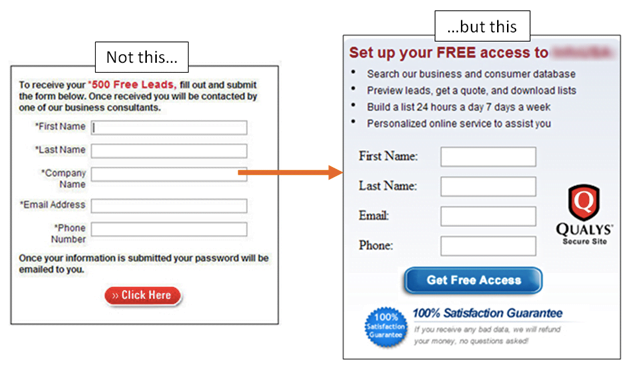


 On clicking the CTA banner, the user is redirected to the URL connected to the banner (in this case, https://www.socxo.com/socxly/).