Everything You Need to Know About URL Shorteners and How to Get Started
Brands spend a lot of effort creating attractive and eye-catching social media posts that lead to landing pages designed for engagement and conversions. But what about the vessel that takes your user from the post to the landing page – the URL (or simply called the site link)?
Does the URL impact user behaviour in any way? Can it be tailored to increase post and button click-through rates (CTR)? Does it influence the brand image? The answer to all of these questions is yes.
A long URL with a lot of characters can be perceived as a spammy link. On, the other hand, a link created with a URL shortener is neat, takes less character space, delivers the information the user needs, and most importantly, elicits trust.
The URL shortener also lets you add your custom domain, so you can use your brand name and shorten links simultaneously.
In this article, we delve deeper into URL shortening and cover:
URL shortening is the process of converting a long URL with multiple paths and characters into a simple link with a single path and minimal characters (as many as you like). A URL shortener is a service or a platform that enables you to shorten your website’s URLs.
It’s important to understand that the URL shortener does not change the page’s original URL, but simply masks it. What you see on the front-end (within a post, tweet, message, etc.) is the shortened ‘mask’ URL redirecting to the page that is still on the original URL.
For example, we shortened the link to a Kindle on Amazon using Socxly to:
Clicking this link will take you to the original link (https://www.amazon.in/Kindle-10th-Gen/dp/B07FQ4Q7MB/ref=sr_1_1?…..) on Amazon. So the shortener created a mask that redirects the user to the original long URL.
Benefits of URL Shortening
Short URLs help brands in many ways, and URL shortening services add to these benefits by delivering extra add-on features. Here are the benefits of short URLs and the add-ons provided by URL shortening services:
Benefits of a Short URL
1. Better URL Aesthetics
The number one benefit of shortening a URL is better appearance. URLs are generally shared at the end of social media posts, tweets, blog posts, and so on. A long URL looks untidy and confusing and disrupts the conciseness of the post description or the flow of the blog content.
Adding this long URL to a post or blog takes up a lot of space. This URL can be compressed to:
This shorter URL is aesthetically pleasing and does not increase the character count on a post. When added to a blog post, it takes up just a single line making it a much neater option.
2. Easier to Read and Remember
More often than not, long URLs do not give the user the information they need at first glance. In the Business Insider URL we shared earlier, the post’s title comes much later and is not easy to find. In the shortened URL, however, the crux of the post is immediately visible.
URL shortening allows you to keep relevant and important information within the link and discard the rest. This makes it easy to read, shows the information immediately, and is much easier to remember.
3. Reduces the Character Count
Some platforms, like Twitter, have restrictions on the number of characters allowed. Adding long links results in excessive character space, leaving fewer characters for the message you want to post.
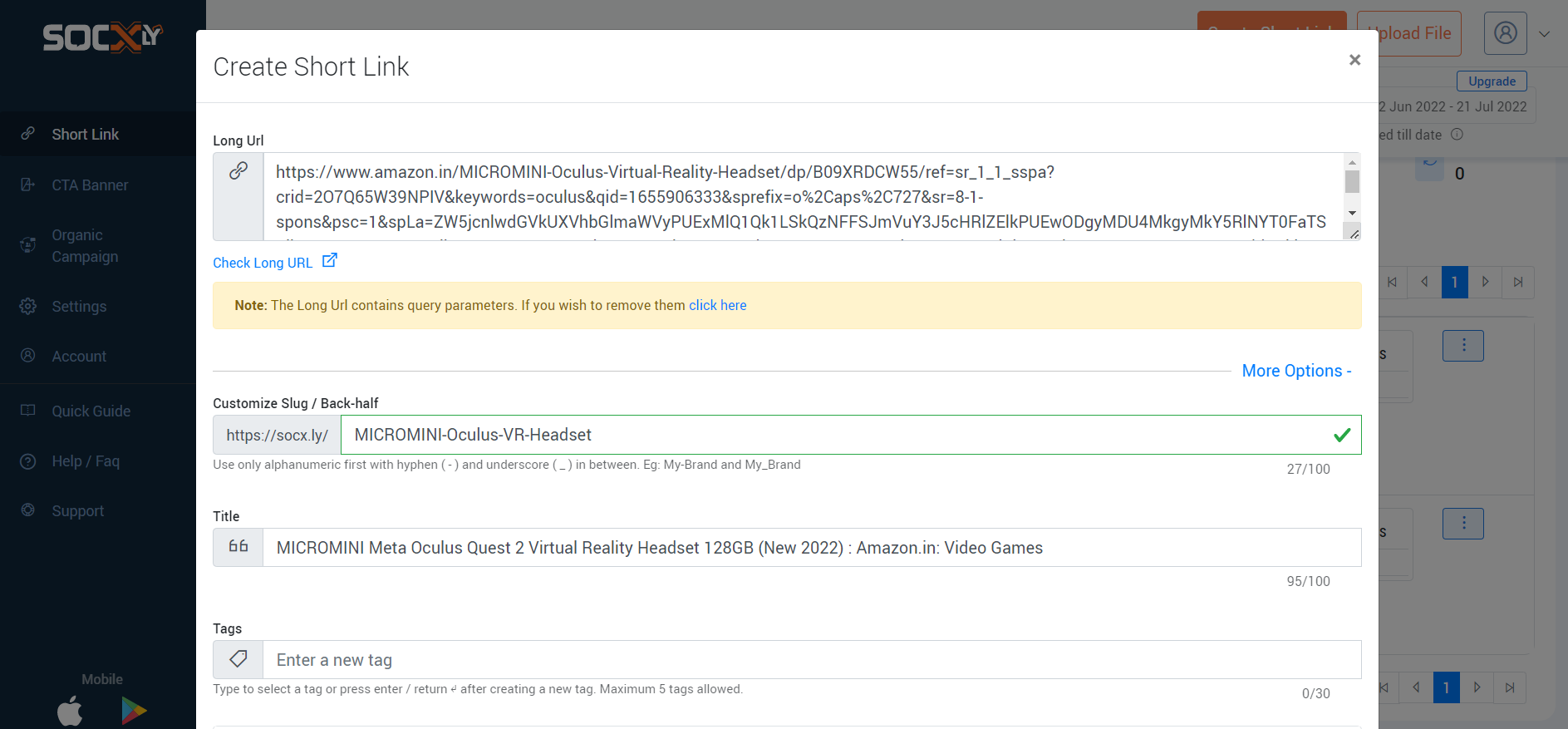
Here is the character count for the link to a VR headset on Amazon:
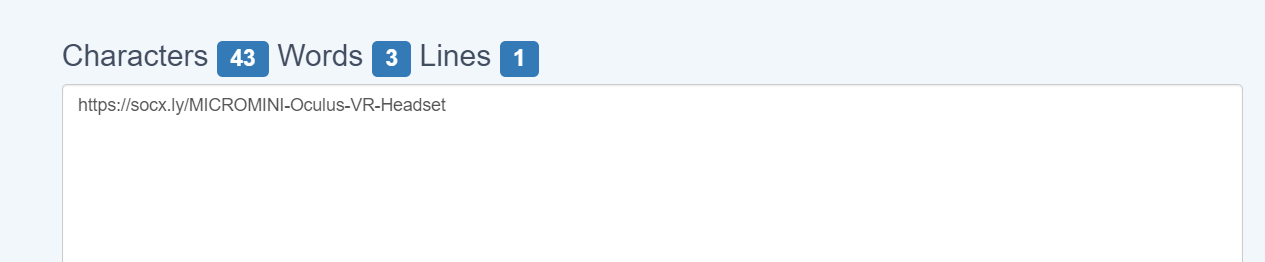
And here is the character count for the shortened URL that leads to the same product page on Amazon:
The shortened URL contains a tenth of the characters of the actual link. This is quite a nifty result when you’re working with limited character spaces.
4. Short URLs are User-Friendly and Enhance Trust
Long URLs, especially ones with special characters like question marks and percentage signs, tend to seem malicious; however, sometimes, they cannot be avoided. If the post’s title is long, if there are many paths, or if you add UTM parameters, the URL tends to become long and include special characters.
In such cases, a URL shortener comes in handy. You can add the full title as the slug (which helps with SEO) when publishing the page and shorten the URL using a shortener before sharing it on other channels. Additional elements like UTM parameters and tags can be added using the URL shortener, making tracking easy as well.
Add-On Benefits of Using a URL Shortener
5. Internal Data Tracking
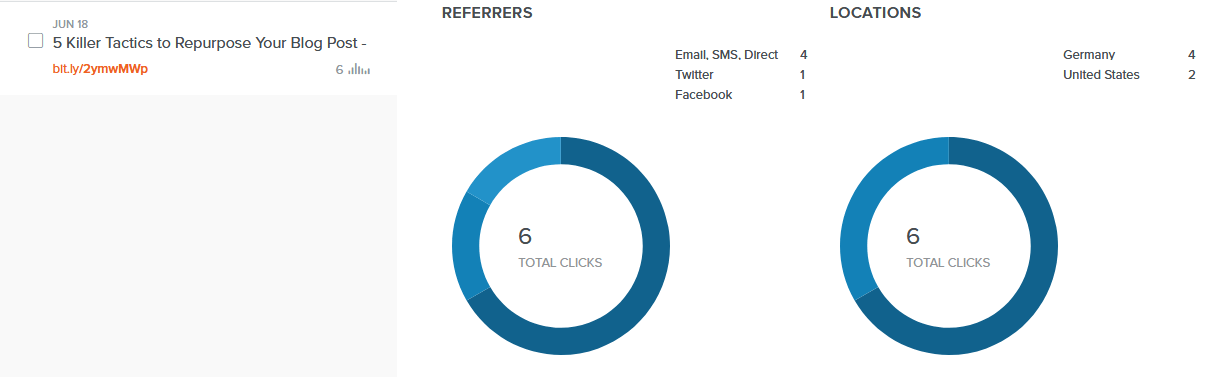
Most URL shortening services track the URLs they provide for impressions, clicks, sources, and other metrics. The data is tracked at a URL level, so you know which ones are performing well and on which channels.
This data is extremely useful for brands that create and share many links, and the URL shortening service makes this data available at your fingertips. Finding this URL-specific data using an analytics system usually requires a lot of configuration and drilling down.
6. UTM Parameters are Included and Shortened
UTM parameters are pieces of code that are added to links to track specific data:
In this example, UTM parameters are added to send back data about the source, medium, and campaign to the analytics system. As you can see, adding UTM parameters tends to lengthen the link.
URL shorteners have two advantages that help in this situation. One is that they provide a host of link data internally, so you may not even need to add extra UTM parameters. The short link can be used, and data can be tracked from within the URL shortener’s dashboard.
The second advantage is that most URL shortening services allow you to embed UTM parameters when shortening the URL. If you have to add UTM parameters to send data back to an analytics system, you can easily do so when shortening the URL. These parameters are masked just like the long URL, so users don’t see them, but they get appended when the link is clicked, allowing you to track the data you need.
7. Meta Data Can be Modified
Platforms like Facebook, LinkedIn, Twitter, and so on, look for certain open graph meta tags (called OG tags) within links to include in the post. When you share a blog link on Facebook as a post, for example, you will notice that Facebook automatically populates the post’s image, title, link, and description. It does this by extracting the meta content associated with the link.
Editing this meta content usually involves editing the source code, and you can only add one set of metadata per link, per site.
Most URL shortening services allow you to edit the meta content when creating a short link. You can change the open graph meta title, meta description, and display link associated with the shortened URL. This allows you to control how the post will appear on social media sites and also lets you create many different post styles for the same link (by creating different short URLs).
URL Shortening Use Cases
Digital Marketing and Analytics
URL shorteners provide in-depth tracking data internally and enable the addition of UTM parameters so campaign data can be tracked using an analytics platform. This lets you track engagement at a macro level and helps you better understand your campaigns and their results.
Social Media Posts
By allowing you to modify the link’s open graph meta content, URL shorteners make it easy to create social media posts that are engaging and consistent across sites. You also get channel-specific click data which helps you determine which channels work for your brand.
Vanity URLs
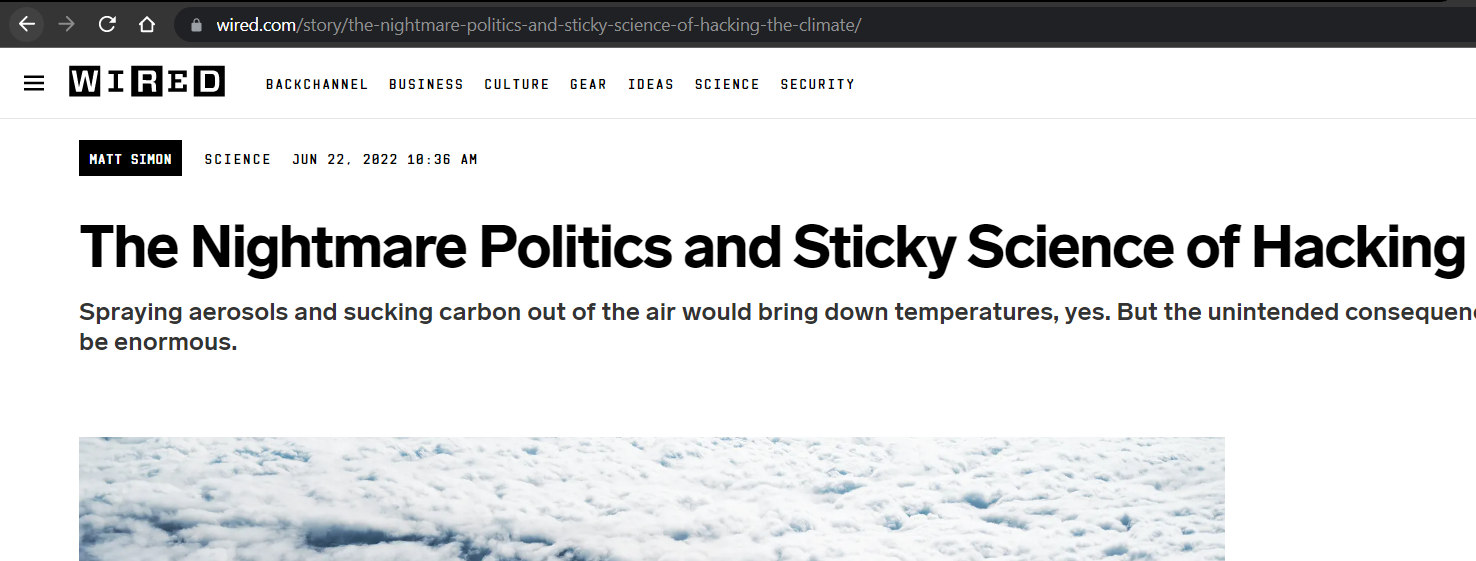
A part of SEO best practices is to create URLs with a detailed path and to include one or more keywords in the slug. This often results in long URLs:
When it comes to sharing these links on social media and other platforms, however, you will find that long URLs do more harm than good. URL shorteners allow you to have long-form URLs that are SEO-friendly and then shorten them for external use. You can use your brand name and short terms for the slugs that make them catchy and easy to remember.
QR Code Marketing
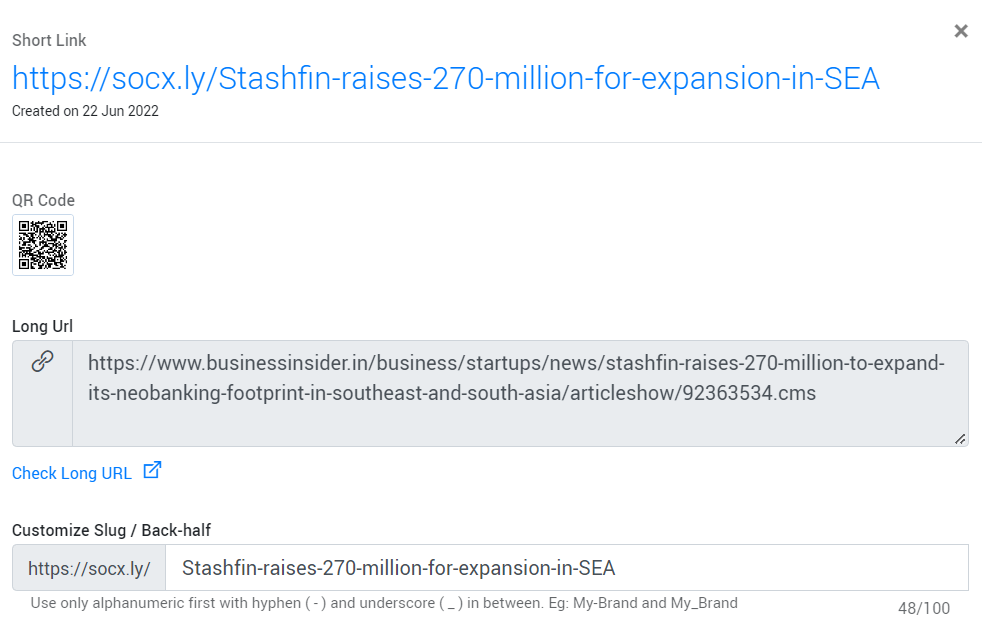
Most URL shorteners also generate a QR code along with the shortened URL:
QR codes are great for marketing; they can be printed on paraphernalia, products, stickers, placed on the website, and so on. URL shorteners give you a way of quickly generating QR codes for your brand links.
Marketing Campaigns
Lastly, URL shorteners are great for creating user-friendly and short URLs with embedded tracking codes (UTM parameters) that can be used for digital marketing campaigns like email and SMS blasts.
URL Shortening Services and How to Use One
Shortening URLs is quite easy. The first step is finding a service that delivers the features you need for a reasonable price.
Most platforms have a free plan that provides powerful features that are more than enough for most brands. Socxly, for example, has a free plan that allows you to shorten 300 URLs per month, and for each URL, you can add UTM parameters, edit social cards, add CTA banners, track URL data, etc. This allows you to get started with URL shortening immediately and for free.
The process of shortening URLs is as follows:
Create an account (you can start with the free account).
Enter the long URL you want to convert.
Either let the platform create a short slug, or you can add a custom slug.
Add UTM parameters if needed.
And that’s it; you’re all done. The short URL is generated with the new slug and stored in your account. You can edit the URL details and the social card meta content whenever you like.
Shortening Your First Link for Free Using Socxly
URL shortening is an important strategy in today’s competitive digital marketing landscape. It enables you to create short, safe, and user-friendly URLs that improve engagement and CTR. Finding the right URL shortening partner is equally important. The platform must give you the tools needed to create impactful URLs for a reasonable price.
The best way to find which platform is right for you is to try the free version. Once you see how powerful the URL shortener is, you can commit and invest in a paid plan. To get started with Soxcly for free, create an account here: SIGN UP NOW.
Clickable Social Cards: What are They and Why Do You Need Them?
58.4% of the global population uses some form of social media.
This is over half the world’s population, and your target audience is in it. If you aren’t yet streamlining your social marketing strategies to better reach and woo this audience, it is time to learn a few new tricks.
“Social media cards” – your virtual business cards for social media – are now leading the marketing and advertisement trends. Buffer experimented with the latest feature on Twitter – the capability to create visual tweets – and the results were more than baffling. The businesses that used this feature got:
150% more retweets
89% boost in favorites
18% more clicks than before
The message is clear: a visual, media-rich representation of your brand on a social network works brilliantly to improve audience engagement with your posts. When used right, your business could exponentially increase conversion rates.
However, using visual content for the sake of it isn’t enough; the whole experience of viewing your clickable social card needs to be appealing to your audience.
Let’s learn more about social media cards, why they matter, and how you can leverage them best.
What are Social Media Cards?
Social cards are clickable image posts that can be used on social media. They are highly visual and are meant to draw the viewer’s attention to them, engage them in your offerings, and get them to tap for more information.
Earlier, social media networks weren’t very flexibly designed for use by businesses; the functionalities a social ad could thus offer were limiting. With the option to add images to your social media ad through clickable social cards, your business now has the opportunity to attract and engage a larger portion of the viewers scrolling through your feed.
According to Brain Rules, people can retain 65% of the information they gather from posts with an associated image even after three days. This goes to say that attaching an image with your business information on social media has the potential to garner more attention for a sustained period.
What goes into making a clickable social card?
A social media card typically consists of four elements:
An image that defines your brand to the audience in a captivating way
The title of your business, much like a physical visiting card
The description of your business in a short, hooking sentence
An embedded URL that redirects the viewer to either your landing page or any other location your business intends for that clickable social card
Difference Between a Normal Post and a Clickable Social Media Card
If you observe, clickable social media cards look more or less like a social media post. What, then, is the differentiator between them?
While a typical social media post contains an image, a caption, tags for other concerned people, and hashtags for outreach, a clickable social media card is slightly different in the background. A social card contains everything a post does, and a clickable URL redirects the viewer to a specified destination.
If you tap on a normal social media post, you would still remain on the social network’s feed. However, if you tap on a social media card, you will be redirected to the page the company wants you to see.
You could say that social media cards are visual links to a company’s landing page.
Do Social Media Cards Really Matter?
Images can greatly impact the viewer – especially when the visual content is relatable and bold. Brands leveraging this capability of visual content to turn their social media into a lead magnet reap the true benefits of clickable social cards.
Hubspot, in a study they recently conducted on Twitter clickable social cards, discovered a few very interesting statistics that would make you reconsider not incorporating this strategy in your marketing campaigns:
The tweets with images saw a stellar increase of 55% in the leads they generated
These tweets were also responsible for a 31% increase in visits
There was an increase of 33% in visitor-to-lead conversions through tweets with images
36% more clicks were observed on tweets with images
If your competitors utilize the power of clickable social cards and you don’t, they would be gaining more visitors, leads, and conversions than you. For the sake of business furtherance, clickable social cards are slowly but steadily becoming the norm in social media advertising.
A well-designed social media card conveys more to a visitor than a post can: the visual information delivered will likely stay longer in your visitor’s mind than text-based information. Clickable social cards can give you actual, measurable long-term benefits when designed with the objective in mind and with a view to clearly express it to your consumers.
Tips to Design a Good Social Media Card
Creating an engaging, clickable social media card is straightforward if you have your objectives lined up. Follow the five tips below to create clickable social cards that garner audience attention.
Leverage the Power of Branding
Your consumers shouldn’t have to fish for your brand’s name from the text you include in the social card. While designing one, ensure that you place your logo prominently enough to be noticed as the first thing when your card appears on the feed. Doing this quickly delivers the necessary information to your potential customers while saving you more space on the card to relay other information.
By working on the placement of your brand, you can create a great image that works as it should.
Use Visuals
Visual posts are instinctively more appealing to consumers than ads without any visual aid. Include an aesthetic image that resonates with your brand and objective to get user attention, and then proceed to explain what your ad is about.
A balanced combination of image and text in your social card will work in tandem to improve impressions, click-through rates, and conversions from the clickable social card.
Write Convincing Copy
If you include an image that speaks volumes, an impactful ad copy may not be required at all. However, it is also possible to harmonize these two elements as complementary to make a clickable social card that is bold and speaks directly to the viewer instead of stating a general purpose.
Writing a convincing copy involves a deep knowledge of the ongoing trends (which will be instantly noticeable to people) and connecting the benefits of your products and services to such trends.
Design Intelligently
The design part is the hardest – you need to either source a template that resonates with your business or create your own with brand colors and tone. Apps like Canva get the job done fairly well for small and medium businesses; however, larger organizations like to hire designers to create their own designs.
The colors, accents, fonts, spacing, and even the tone of the social cards need to be in total sync with the brand identity for it to be any good.
Choose the Right Tools
A good design needs good ideas and the right tools to execute it. If you have in-house graphic designers, ensure they have access to the right software to create the kind of clickable social card you want. If not, you can create one using apps like Canva that provide ready and customizable templates.
It is best to have a professional do this because of the world of insights they can bring to the project – the result would be much better than a self-made social media card.
Creating Clickable Social Media Cards
Are you ready to create a clickable social card for your business? Follow the simple steps listed below to get it done quickly.
Select Your Tool
Graphic design tools help create stunning, clickable social cards representing your brand. Ensure that the team in your organization is equipped with a reliable, good design tool that can perform the kind of graphics customizations you need for your social card.
Select a Template
If you would rather work with a ready, customizable design than create your own, you can look up thousands of templates for clickable social cards online. Most are usually free to use and are customizable according to brand voice. If you wish to get more functionality, you can purchase a template and get access to its code for modification.
Write the Copy
Now is the time to insert your ad copy into the template. It is best to first study the template to see how many words it allows to be displayed effectively. You may want to create a copy according to this limit to make it more aesthetically pleasing.
Create the Image
Your graphic designer must coordinate with the social media card team to create an image that fits the card without needing to crop or resize it. It is best to retain its original resolution for optimal output.
Benefits of Social Media Cards
In addition to attracting more consumers to your brand, many benefits ensue from using clickable social cards:
Clickable social cards can redirect the viewer to your page without any in-betweens. This alone helps to boost traffic to your landing pages.
Images are proven to be effective in garnering consumer attention better than text. Social media cards can display your brand to the audience elegantly, driving engagement.
Since you get the opportunity to include an image and a link with your post, you can get creative and draft a card that makes a splash on social media.
Social cards have the power to deliver an impactful first impression of your brand to the consumers.
Using Socxly’s URL shortening tool can help bring delayed leads back to your website by making URLs simple to remember.
Do’s and Don’ts of Social Media Cards
Not sure how to start building your social media card? Let’s look at some do’s and don’ts you can keep in mind.
DO select an image that represents not just your company but the message you want to deliver through the social ad as well.
DO include your contact details in the card should customers want to reach you.
Don’t use redundant content that is bland or reused.
Don’t try to deliver too much information on the social card itself.
DO keep it crisp and targeted.
DO have a landing page or a proper redirect destination set up to justify your offers and claims on the card.
In Closing
Marketing and advertising are highly dynamic industries; what is trending today may sputter into oblivion tomorrow. However, social media has been going strong for quite some time now, and clickable social cards are proving to be a great way to make your business known in these circles. Clickable social cards boost consumer engagement and help deliver the right brand image to your consumers. Leverage the power of social media using clickable social cards as your tool to drive more engagement and traffic to your website. Use the guide above to get your brand noticed on social networks.


 This shorter URL is aesthetically pleasing and does not increase the character count on a post. When added to a blog post, it takes up just a single line making it a much neater option.